Times Tables • Multiplication
Times tables practice for kids — speak the answer, watch the math come alive, and get personal tips from on-device Apple Intelligence. No ads, no tracking, one-time purchase.

iPhone & iPad · Requires iOS 17 or later · Tables 1–5 and 10 free forever
Called “Einmaleins - Mathe Trainer” in the German App Store · Times Tables Expert is the website and brand · Developed by Andreas Kögler
Built for families to trust
Responsible AI for kids
The on-device model never generates free-form text. It selects from a curated library of over 1,200 pre-written, reviewed learning texts — so children only ever see vetted content. Devices without Apple Intelligence get rule-based tips, so no child is excluded.
Zero third-party SDKs
The app is built exclusively with Apple frameworks. Its App Store privacy label reads “Data Not Collected” because the binary contains nothing that could collect data — no analytics, no tracking, no third-party code.
Fair & COPPA-friendly
No ads, no subscriptions, no accounts. Practice data stays on the device. Tables 1–5 and 10 are free forever; one one-time purchase unlocks everything else. Built and maintained by a solo developer.
Apple Intelligence, where privacy matters most
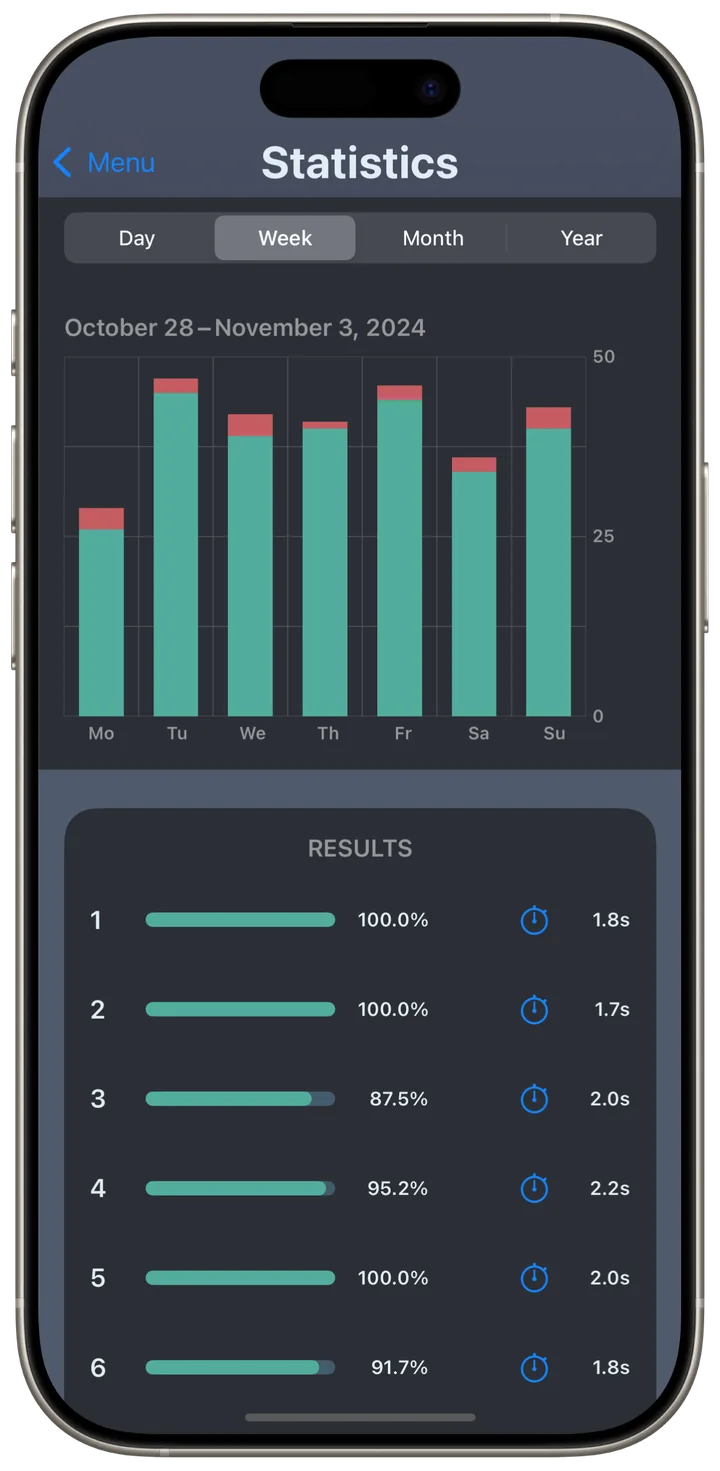
After each practice round, the on-device FoundationModels framework picks a personalized learning tip or practice recommendation. Everything happens on the device itself, so nothing about a child’s learning ever leaves the phone.
Learning tips explain strategies like decomposition, doubling, or neighbor tasks — matched to the tasks a child actually found tricky.
Practice hands-free, in more than 10 languages
Kids hear a question and simply say the answer — voice input and spoken output work in every language of the app, with number words parsed per language, from “thirty-two” to “trinta e dois”.
Voice commands control the whole session: say “Pause”, “Continue”, “Stop”, “Skip” or “Don’t know”, or switch times tables by voice — without touching the device.
Understand and memorize the multiplication tables
An important basic skill in mathematics is mastering the multiplication tables. This skill helps you not just in school, but in many areas of everyday life. With this app, you first understand patterns with clear visuals and voice-guided practice in more than 10 languages, then build reliable memory with gentle repetition.
Understand
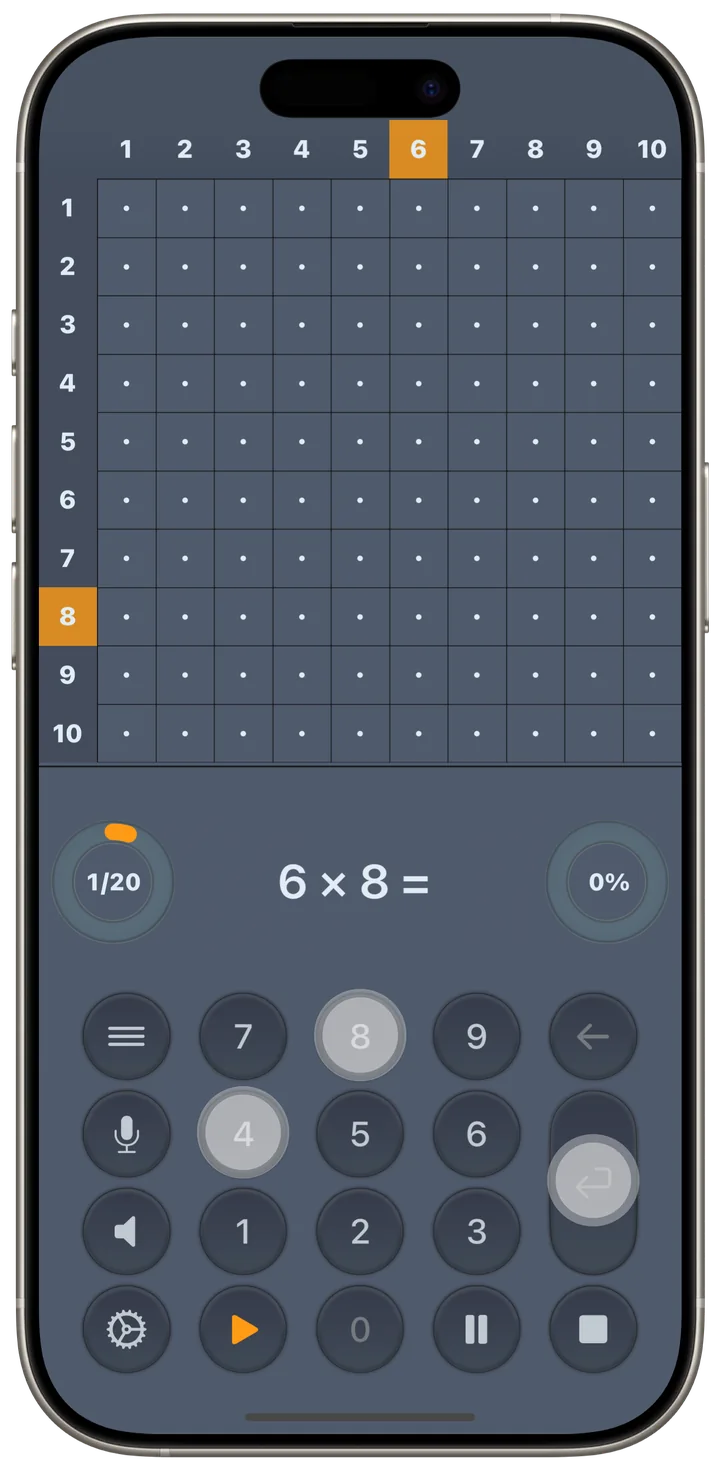
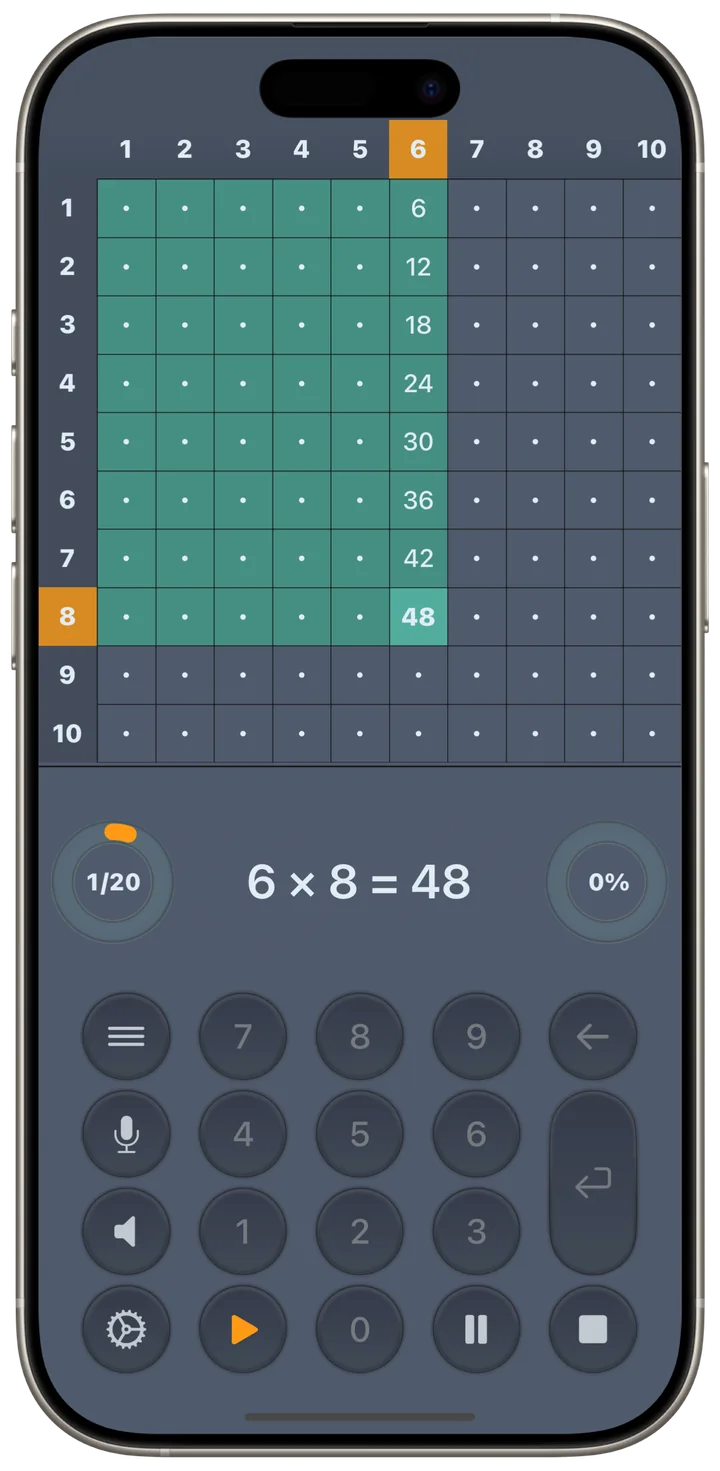
Select the lowest value for the exercise speed in the settings. Tap a number in the top row to select a column. Activate the speaker button to hear questions read aloud, and tap the microphone to speak your answers — the app understands every one of its languages.
Watch the colorful squares on the number grid to see multiplication patterns come alive. Use the pause button if you need more time to study a pattern. The visual animation shows how multiplication works as repeated addition — building true understanding, not just memorization.
Memorize
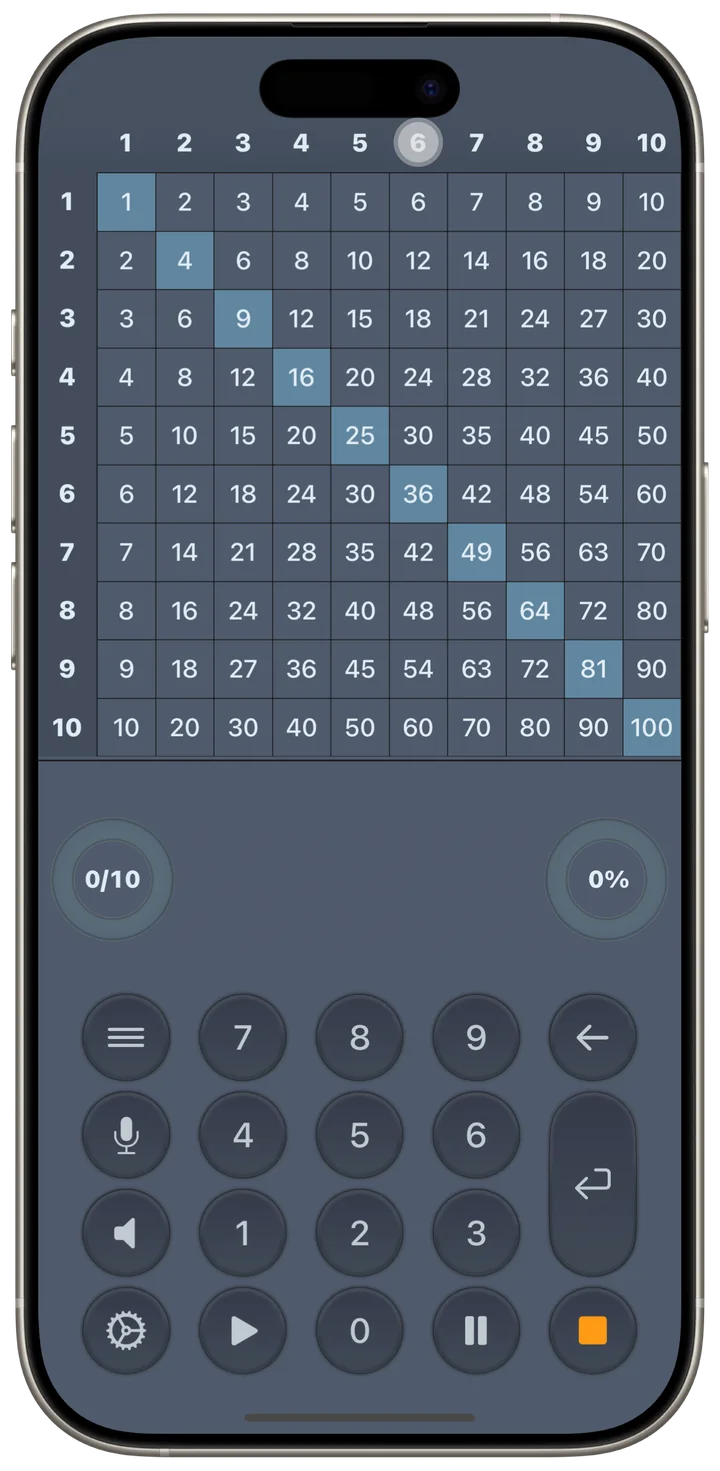
Start with this step as soon as you understand all tasks of a column. Gradually increase the practice speed in the settings and find a pace that challenges you. Select multiple columns or rows for more variety by tapping or swiping.
Use the voice features as often as possible — learning with multiple senses is more effective. Practice at least 10 minutes every day. After each session, the app gives you personalized recommendations showing which tables need more practice. All feedback comes from on-device AI — 100% private, no data shared.
Your settings, your pace
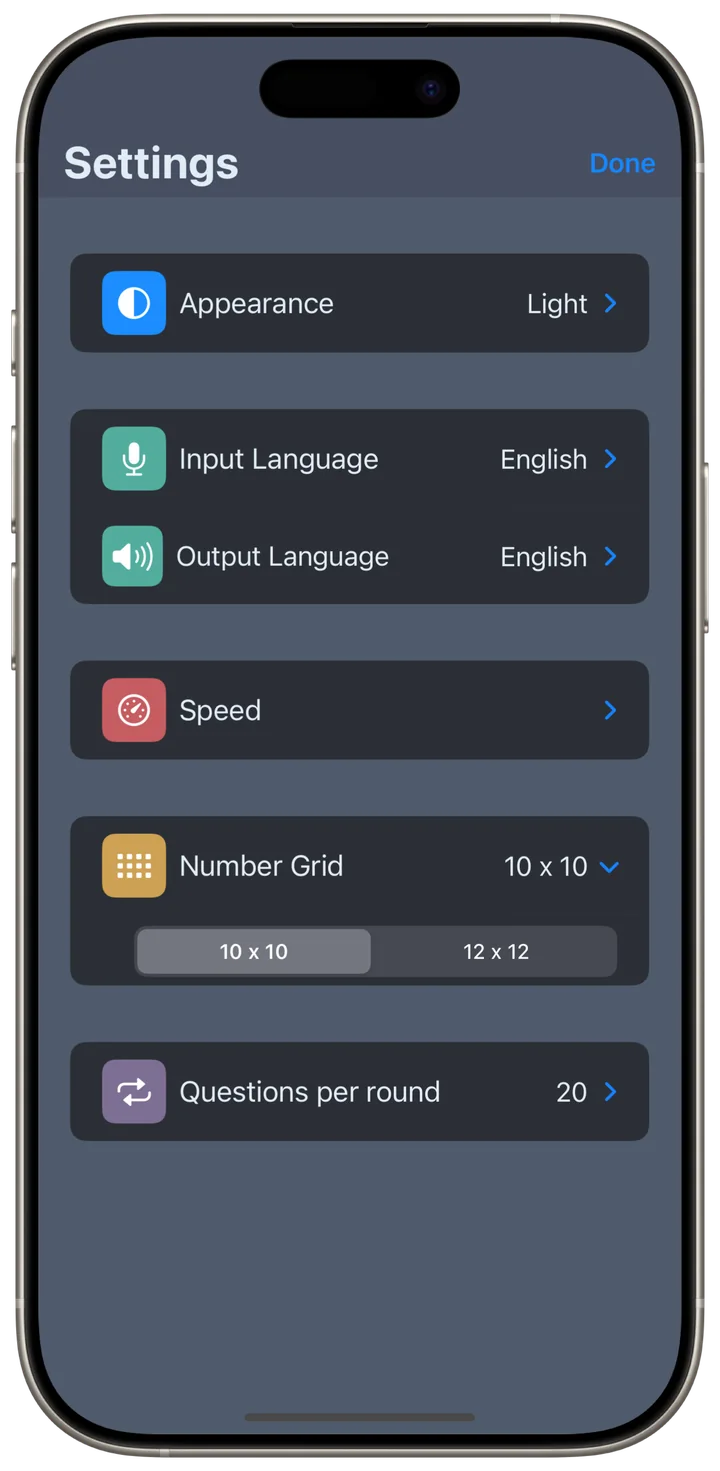
Choose input and output language, pick a voice, adjust the speed, and switch the grid size — up to 12×12 on iPhone and 20×20 on iPad. Color schemes: White, Gray (default), or Black.
Free & fair
Tables 1–5 and 10 are free forever — full features, no ads, no time limits. More tables up to 12 (iPhone) or up to 20×20 (iPad) are available as a one-time purchase. No subscription.